Registering in seven steps
You may hold one account. A second account on the same name, device or payment method is shut down, and you will not be told beforehand.
Go to the official site and tap Register.
Fill in an email address and come up with a password.
Add your name, date of birth and home address.
Tick the boxes for being 18 or over and accepting the terms.
Turn on the welcome package you want to use in your profile.
Open the cashier, choose a payment method and send at least €20.
Finish verification before you request your first withdrawal.
Create account
Documents and verification
You need three documents. The names must match everywhere.
| Document | What counts | Watch for |
|---|---|---|
| ID | A government-issued document with a photo, both sides if needed | Clearly legible and not expired |
| Selfie | A photo of yourself holding that document | Your face and the document are both clearly visible |
| Proof of address | A bank statement or utility bill from the last three months | Name and address match your account |
Verification is mandatory before every withdrawal and is part of the checks against money laundering. Completing it beforehand means a first withdrawal does not have to wait for it.
Installing the web app
LuckyBoom runs as a progressive web app. No app store is needed; you add the site to your home screen from the browser.

iOS
- Launch Safari and open the site in an ordinary tab.
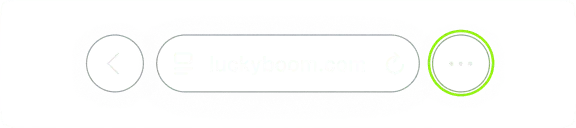
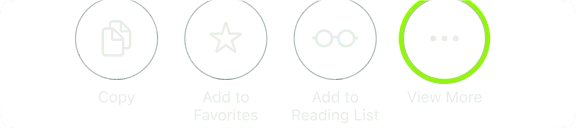
- Tap the share menu at the bottom or top of the screen.
- Scroll through the options until ‘Add to Home Screen’ appears.
- Tap it and confirm with ‘Add’ in the top-right corner.
Android
- Go to the site in Chrome.
- Accept the install prompt, or open the menu with the three dots.
- Tap ‘Add to Home screen’ and confirm the choice.
Installing does not work from a private or incognito window.
If it does not work
| Problem | Solution |
|---|---|
| There is no ‘Add to Home Screen’ option | Use Safari on iOS and Chrome on Android. |
| The installation does not start | Close the private or incognito window and open the site in a normal window. |
| The icon is not on the screen | Repeat the steps and confirm the addition. |
Support: which channel when?
Live chat is on every page; the rest is for those who prefer something more formal.
| Question | Best channel |
|---|---|
| A quick question about a bonus or withdrawal | Live chat |
| Self-exclusion or closing your account | Email from your registered address |
| Status transfer from another casino | Live chat or email, with a screenshot |
| Personal guidance as a VIP | The VIP channel |
Licence and operator
Anyone playing at a casino should know who is behind it and under which rules.
- Brand
- LuckyBoom Casino
- Operator
- MAIREKE LIMITADA, based in Costa Rica
- Licence
- Anjouan Offshore Financial Authority
- Governing law
- The law of Anjouan
- Founded
- 2021
- Type of licence
- Offshore, not a national licence
Tools for keeping your play within limits
LuckyBoom treats limits as part of the service. These are the tools the site mentions, supplemented by a self-check of our own.
Eight questions to ask yourself
- Do I play longer or for more money than I planned?
- Do I try to win back losses?
- Do I borrow money in order to play?
- Do I hide my gambling from the people around me?
- Do I get irritable when I cannot play?
- Do I play to escape problems or a bad mood?
- Am I arguing about money or time because of gambling?
- Am I neglecting work, study or family?
If you answer yes to several questions, take a break and talk about it. You can arrange a cooling-off period or self-exclusion through customer support.
Setting a play budget
| Item | Example amount per month |
|---|---|
| Net income | €2,400 |
| Fixed costs and savings | €2,050 |
| Free to spend | €350 |
| Play budget (for example 10% of that) | €35 |
All amounts are an example; your own figures will differ.
Independent help
Keep reading
Each guide covers one subject, so you only read what you need. The other guides are listed below.
Frequently asked questions
How do I create an account?
Open the official site, choose Register, enter your email address, password and personal details, confirm that you are 18+ and accept the terms.
May I have several accounts?
No. One account per person; duplicate accounts under the same name, device or payment method are closed without notice.
Do I need to download an app?
No. You install lucky boom casino from the browser as a web app, on iOS and on Android.
How do I close my account or exclude myself?
Send a request from your registered email address. Self-exclusion takes effect within 24 hours and lasts at least six months.
Is luckyboom casino safe?
The casino uses SSL encryption and full verification before withdrawals, under an offshore licence from the Anjouan Offshore Financial Authority. Do check the rules in your own country.
How do I reach customer support?
Through live chat on any page or at support@luckyboom.com.
Where can I find independent help?
At begambleaware.org, gamcare.org.uk, gamblersanonymous.org and gamblingtherapy.org.
Ready to take a look?
Open luckyboom, switch on the bonus you want in your profile first and deposit afterwards. The terms shown in your own account always take precedence.
Go to LuckyBoom